Theory: Business Intelligence
| Site: | DIGITOUR Training Platform |
| Course: | Building Digitalisation Readiness in the Tourism SME Sector - ENGLISH |
| Book: | Theory: Business Intelligence |
| Printed by: | Guest user |
| Date: | Thursday, 24 September 2026, 8:54 AM |
Description
1. Introduction to Business Intelligence
In line with the objectives outlined in the previous section, this bitesize introduces techniques and concepts linked to Business Intelligence and should help you:
➢ Understand the importance of Business intelligence and combines business analytics, data mining, data visualization, data tools and infrastructure,
➢ Understand how BI can analyse and respond to the changing customer behaviour and implement best practices to help your tourism venture more data-driven
➢ Enhance and contribute to the digital transformation of the tourism sector by application of new technologies, approaches and solving entrepreneurial challenges.
The outline of this bitesize is defining
- Business intelligence (BI) software
- Business intelligence (BI) process
- Logical architecture of a BI system
- BI system Components
- BI Project Implementation Steps
- Benefits from using BI software
- Typical ways of using BI
- How to choose a BI solution
- Business Intelligence in the cloud
- BI DASHBOARD
- Business metrics
- Key performance Indicators
- How BI dashboards can help small tourism business.
- Visualization tools
- Other Materials
2. What is Business Intelligence?
BI Definition- A set of theories, methodologies, processes, architectures, and technologies that transform raw data into meaningful and useful information for business purposes.
Business intelligence (BI) software are the tools that make it possible to create value from available business data. BI tools turn raw data, generated in everyday business transactions, into meaningful and actionable information that can be used for taking quick and smarter business decisions.
Business intelligence (BI) process support decision making allowing tourism entrepreneurs to better understand, analyse and predict the future inside and outside of their businesses. In order to achieve Business Intelligence, i.e. to get actionable information from raw business data, it is necessary to go through some basic steps presented in the logical architecture of a BI system.
BI is helpful for tourism businesses of all sizes and industries.
- Turning raw data into actionable business information
- Taking timely, smarter and informed managerial decision
- Better understanding the customers and delivering exemplary customer experiences
- Increasing productivity by spending time on what is important.
- Empowering employees and transparent collaboration
EXAMPLE – A chain of hotels Accommodation can be booked by phone or online booking.
- Issues loyalty cards to its customers - a tool that links all bookings no matter how they are booked - unique account number
- Collects data about the customer purchases into the company database.
What can the hotel understand by analysing the data with BI?
- The loyalty of specific customers to the hotel brand
- The bookings they make, when they travel and whether for vacation or work, whether they travel single, as a couple or with family
- Their preferences
What are the benefits for the hotel?
- The tools to understand or even predict customer needs, preferences, and habits.
- Anticipating new opportunities to sell, deliver better service, providing better targeted marketing campaigns.
A Business Intelligence dashboard (BI dashboard) is a data visualization and management tool that displays on a single screen the status of business analytics metrics, key performance indicators (KPIs) and important data points for a business, department, team or specific process.
BI dashboards provide BI software interface for visualization and monitoring of preconfigured or customer defined metrics, statistics, insights into current data. It allows the business users of BI software to view instant results into the live performance state of business or data analytics. Every tourism company, even the smallest one, can benefit from introducing a Business Intelligence solution, because it is supporting the process of transforming data into information and then, information into knowledge usable for the company. BI Dashboards are very popular nowadays because they are much cheaper and affordable than ever before an there is a substantial growth of dashboard functionality and quality.
BI Dashboards allow business users to:
- Improve the efficiency of newly made decisions.
- Measure and constantly monitor company performance.
- Improve performed analysis due to visualization abilities.
- Recognize, localize, and analyse negative trends.
- Correct negative trends due to improved abilities for modifying concrete factors, affecting those trends.
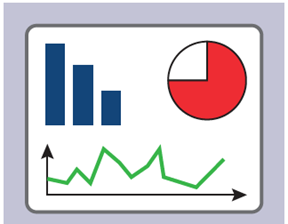
Visualization tools- When information is presented in a visual format, it allows users to more quickly perceive patterns that may not have been anticipated and to draw valuable conclusions more intuitively and rapidly. There are various visualization tools that can be used for graphically representing information, depending on its type and purpose: e.g.:
- Bar/Column charts for comparing values.
- Line charts for representing trends.
- Pie and Block charts for presenting ratios
- Scatter charts for presenting correlations
- Gauge charts and traffic lights for presenting KPI values and targets
Choosing the right visualization would make it possible to represent and interpret the data effectively.
free-icon.com
Business analytics is comprised of solutions used to build analysis models and simulations to create scenarios, understand realities and predict future states. Business analytics includes data mining, predictive analytics, applied analytics and statistics, and is delivered as an application suitable for a business user. These analytics solutions often come with prebuilt industry content that is targeted at an industry business process .”
https://www.gartner.com/en/information-technology/glossary/business-analytics
Business Metrics are quantifiable measures that are used to track and assess the status of specific business processes used by managers at different levels, executives and middle managers. to track all areas of business.
Business processes have specific performance metrics that are usually monitored, e.g.:
- Executives look at “the big picture” by using financial metrics.
- Sales experts monitor sales performance metrics such as new opportunities and leads
- Marketers track marketing and social media metrics, such as campaign and program statistics
Key Performance Indicators (KPIs) are measurable values that demonstrate how effectively a company is achieving key business objectives. Companies use KPIs at multiple levels to evaluate their success at reaching targets.
High-level KPIs may focus on the overall performance of the business. Low-level KPIs may focus on processes in departments such as sales, marketing, HR, support and others.
3. Logical architecture of a BI system
- Data Environment – raw data is extracted from various sources, and then integrated, transformed and loaded in the data warehouse in suitable format for business analysis.
- Analytical Environment – provides different tools for analysing the data and extracting business information, presented visually, easily accessible by user friendly interface, and in interactive mode.

BI system Components
- ETL Tools (ETL - Extraction Transformation Load) – software tools used to integrate raw data with different formats and solve data quality problems (removing errors, redundancy, inconsistency, etc.)
- Data Warehouse – Data repository designed to support business decisions by allowing data consolidation, analysis and reporting at different aggregate levels.
- Analytical Tools – Tools for interactively analyzing the consolidated data and creating reports, finding answers to business questions and identifying existing problems, continuously monitoring the company performance.
- Dashboards - A visual presentation of critical data for executives to view, usually organized as a collection of widgets that give an overview of the reports and metrics that are most important for company managers.
How BI, data analytics, and business analytics work together.
Business intelligence includes data analytics and business analytics but uses them only as parts of the whole process. BI helps users draw conclusions from data analysis. Data scientists dig into the specifics of data, using advanced statistics and predictive analytics to discover patterns and forecast future patterns.
Data analytics asks, “Why did this happen and what can happen next?” Business intelligence takes those models and algorithms and breaks the results down into actionable language. According to Gartner's IT glossary, “business analytics includes data mining, predictive analytics, applied analytics, and statistics.” In short, organizations conduct business analytics as part of their larger business intelligence strategy.
BI is designed to answer specific queries and provide at-a-glance analysis for decisions or planning. However, companies can use the processes of analytics to continually improve follow-up questions and iteration. Business analytics shouldn’t be a linear process because answering one question will likely lead to follow-up questions and iteration. Rather, think of the process as a cycle of data access, discovery, exploration, and information sharing. This is called the cycle of analytics, a modern term explaining how businesses use analytics to react to changing questions and expectations.
4. How to develop a business intelligence strategy
What data do we need? The self-assessment/reflection at the start of this bitesize should give you an indication of needs . Now that you know what needs your BI strategy will ultimately solve, you can focus on the data itself. What data do you need in order to solve the problems you’ve identified? Compare this to the data you actually have at hand. Like most companies, you’re probably collecting data that you don’t need. Conversely, you might find that you’re lacking crucial data that will allow you to put your BI strategy into action. For instance, you might not be tracking repeat purchases in your stores, but building customer loyalty is an important objective for you.
On a more technical level, you can evaluate your existing data sources: where is your data coming from? Do you keep it on premise or in a cloud-based data warehouse? Is it stored, historical data or streaming data? Knowing the types of data you need to leverage will allow you to choose the right tool to centralize all your data (but more on this later) and to define your data architecture.
Ultimately, you’ll need to be able to identify the key metrics that will be especially important for you to monitor. Having a handful of strategic KPIs is an important milestone for anyone trying to build a BI strategy. These KPIs can then be broken down into more specific metrics. Pinpointing these metrics is the first step in building effacing BI reports that will allow you to empower users across your organization with powerful insights
A BI strategy is your blueprint for success. You’ll need to decide how data is used, gather key roles, and define responsibilities in the initial phases. It may sound simple at a high level; however, starting with business goals is your key to success.
Here’s how to create a BI strategy from the ground up:
- Know your business strategy and goals.
- Identify key stakeholders.
- Choose a sponsor from your key stakeholders.
- Choose your BI platform and tools.
- Create a BI team.
- Define your scope.
- Prepare your data infrastructure.
- Define your goals and roadmap.
Main steps for successful BI project implementation:
- Defining business requirements by focusing on business problems and clearly defined business strategy
- Identifying and proper mapping of data sources
- Selecting the most suitable BI tool
- Extracting and analysing the collected information
- Implementing knowledge into decision making
Benefits from using BI software
- BI Software provides tourism entities with:
- Quick answers to critical business questions
- Insights on real-time business performance
- More accurate customer profiles
- Identification and analysis of areas to cut costs and for budget allocation.
- Insights into trends
- Business information is presented in a format that is easier to understand.
- Analysing customer behaviour, buying patterns and sales trends
- Measuring, tracking and predicting sales and financial performance
- Budgeting and financial planning and forecasting
- Tracking the performance of marketing campaigns
- Optimising processes and operational performance
- Improving delivery and supply chain effectiveness
- Web and e-commerce data analytics
- Customer relationship management
- Risk analysis
- Strategic value driver analysis

When selecting a BI solution for your tourism business, consider the following factors:
- Ease of learning and use
- Capabilities for creating appealing visual representations of data.
- Availability of built-in analytics function for studying profitability and trends
- Compare BI tools in order to know which one could fit best to your business:
- There are many BI options for SMEs with limited budgets.
- Read BI tool reviews from similar SMEs and compare BI tools in terms of price, features, and ease of use.
5. Business Intelligence in the cloud
Cloud BI Applications:
- Can access data from wherever there is a reliable internet connection.
- Are accessible on multiple devices and web browsers.
- Tend to be easier for end-users to operate and set up, which means reduced IT involvement and costs.
- Can be quickly deployed, since they require no additional hardware or software installations.
- Can be rapidly scaled when the number of users is increased.
Advantages of Cloud Computing for Small Businesses
1. Increased Cost Savings - Cloud computing is an affordable alternative to buying and maintaining your own small business servers. The cost of running your own server is expensive which does not include the cost of buying the software, repairs, and hiring employees to maintain the server.
2. Greater Flexibility - Cloud computing gives small businesses the ability to scale their resources up or down as needed, without having to make a long-term investment. This can be particularly helpful for small businesses looking to expand without making major financial commitments.
3. Enhanced Security - Security is a top priority for cloud computing providers. They invest heavily in security, which can give small businesses access to enterprise-level security that would be cost-prohibitive to implement on their own. Cloud computing also has multiple layers of security (such as passwords, firewalls, encryption, and multifactor authentication), making it more difficult for hackers to access your data. Cloud-based software is also updated automatically, meaning small businesses always have the latest version. Automatic updates keep security strong; help reduce IT costs and increase efficiency.
4. Improved Efficiency - One of the most competitive advantages of cloud computing is its effect on efficiency. With cloud computing, small businesses can improve their collaboration and productivity. Cloud-based tools make it easy for employees to share documents and work on projects together in real time, no matter where they are located. This can help improve communication and collaboration within your small business.
5. Data Recovery - Data breaches, natural disasters, or human error—cloud providers are well equipped to protect and restore your data. With cloud backup and disaster recovery, your data is stored off-site and can be quickly restored in the event of an outage or disaster. Quickly recovering your data can help reduce downtime and keep your small business running smoothly.
6. Other materials
Case Studies
https://theexcelclub.com/business-intelligence-case-study/
https://www.zdnet.com/article/case-study-how-one-firm-used-bi-analytics-to-track-staff-performance/
https://isiarticles.com/bundles/Article/pre/pdf/83032.pdf
What is business intelligence ?
Popular BI tools for small businesses
Articles
https://enterprisersproject.com/article/2021/4/how-explain-business-intelligence-bi-plain-english
https://www.cio.com/article/272364/business-intelligence-definition-and-solutions.html
Dashboard examples
https://www.klipfolio.com/live-dashboards
https://public.tableau.com/en-us/gallery/?tab=featured&type=featured
https://demos.qlik.com/qliksense?_ga=2.5235315.1748060686.1579608840-1351903154.1555602756
https://www.sisense.com/dashboard-examples
https://www.yellowfinbi.com/suite/dashboards